ND320: Difference between revisions
→Pictures: added pictures of a ND320 with graphics: mainboard and gfx card |
→Pictures: add more keyboard pictures |
||
| Line 27: | Line 27: | ||
File:Nd320 keyboard 5 IMG 20210326 155925962.jpg | File:Nd320 keyboard 5 IMG 20210326 155925962.jpg | ||
File:Nd320 keyboard 6 IMG 20210326 155946517.jpg | File:Nd320 keyboard 6 IMG 20210326 155946517.jpg | ||
</gallery> | |||
another ND320 keyboard | |||
<gallery> | |||
File:Tandberg TDV2200S keyboard top 1 IMG 20240818 153930758.jpg | |||
File:Tandberg TDV2200S keyboard top 2 IMG 20240818 153936190.jpg | |||
File:Tandberg TDV2200S keyboard bot 1 IMG 20240818 154001103.jpg | |||
File:Tandberg TDV2200S keyboard inside 1 IMG 20240818 154049493.jpg | |||
File:Tandberg TDV2200S keyboard inside 2 IMG 20240818 154056913.jpg | |||
File:Tandberg TDV2200S keyboard inside 3 IMG 20240818 154105110.jpg | |||
File:Tandberg TDV2200S keyboard inside 4 IMG 20240818 154108895.jpg | |||
File:Tandberg TDV2200S keyboard inside 5 IMG 20240818 154113572.jpg | |||
File:Tandberg TDV2200S keyboard inside 6 IMG 20240818 154137612.jpg | |||
</gallery> | </gallery> | ||
Latest revision as of 14:30, 18 August 2024
ND320 is the product number of the Tandberg TDV 2200/9 S terminal.
 |
This article is a stub. You can improve NDWiki by expanding it. |
EPROMs
The mainboard contains three EPROMS: U32 (2764), U63 (27128A) - character generator and U93 (27128A). If this terminal follows the previous ones in the TDV 2200-series, one EPROM contains the emulator, while the rest (one or two) contains primitives. For this terminal it is unknown which of U32 and U93 is emulator / primitives. Dumps are available[1]. sebras has made a python script to extract the font from the character generator dump and convert it to an image, see sebras/norsk-data-vdu-301-s[2] on Github.
-
 U32
U32 -
 U63
U63 -
 U93
U93


Pictures
Pictures of the terminal.
-
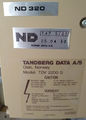 labels on the back
 -
 bottom label 1
 -
 bottom label 2


Keyboard pictures


another ND320 keyboard


Pictures of the inside.
-
 mainboard, seen from back of terminal

Pictures of the mainboard


Configuration screens. Hold down Ctrl and press "HELP" twice.
-
 configuration menu
 -
 convenience switches
 -
 function switches
 -
 communication switches
 -
 PUSH-key menu
 -
 tabulation rack
 -

-
 exit menu


Font used by terminal

ND 320 with Graphics option, pictures by Frodevan[3].
-
 mainboard, component side
 -
 mainboard, solder side
 -
 graphics board, component side
 -
 grephics board, solder side


Resources
The Github repository Supermagnum/Tandberg[4] contains more ROM dumps for this terminal.